Handed over by email
A channel with Handed over by email switched on in its Settings (Channels) hands its posts to people. When a post is due, the workspace owner and everybody holding Operations get one short email, "Ready to post", naming the post and its channels. Its one button, Open the post kit, opens the post kit: a page made for a phone, with nothing to sign in to, holding a card for each channel with its video to share or download (with its cover and its texts as files too), its text to copy, its Posting settings to set as you post it (such as comments on or off, or posting without sound on Telegram, as the channel's Settings say), and Skip this post and Mark as published, each asking once before it acts. The link works for 14 days; after that, the same is on Posts under Post kit.
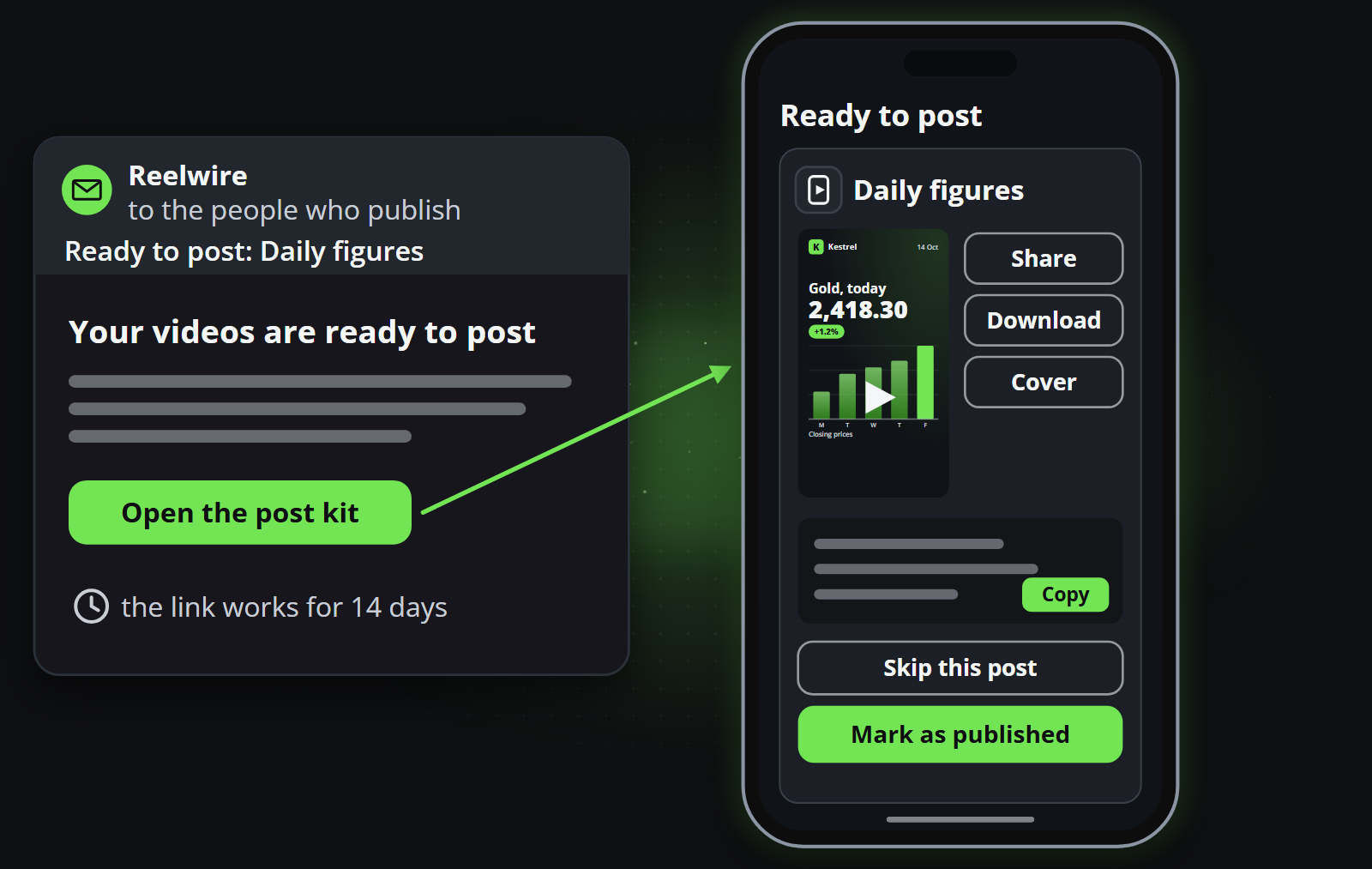
By email Reelwire hands the post to people rather than posting it, so what happens next is up to whoever opens the kit. There are two ways to do it:
| Guide | When it fits |
|---|---|
| Post a video by hand | A person posts it on the platform, on a phone or a computer. The guide covers the email and the post kit in detail, and each platform's steps. |
| Post through a posting service | A person puts the video and its text into a posting service your team already uses, such as Buffer, to schedule it there. |
Whichever way, the last step is the same: say the post is up with Mark as published in the post kit, with the link to it if you have it, so Posts reads Published rather than Handed over.
To have posts reach a system of your own instead, without a person in between, see Handed over by webhook. To have Reelwire post them itself, on Discord, Slack and Telegram with your own credentials, or on Facebook, Instagram, LinkedIn, Pinterest, Threads, TikTok, X and YouTube through its posting service, see Posted by platform connector.