Reelwire Pocket
Reelwire Pocket makes a short video from something you just did. Press a button, take a photo or a short video, say a few words, and look at the result. You need nothing but your device, such as your phone.
Put it on your device
Whoever set up your pocket shows you a QR code, valid for five minutes.
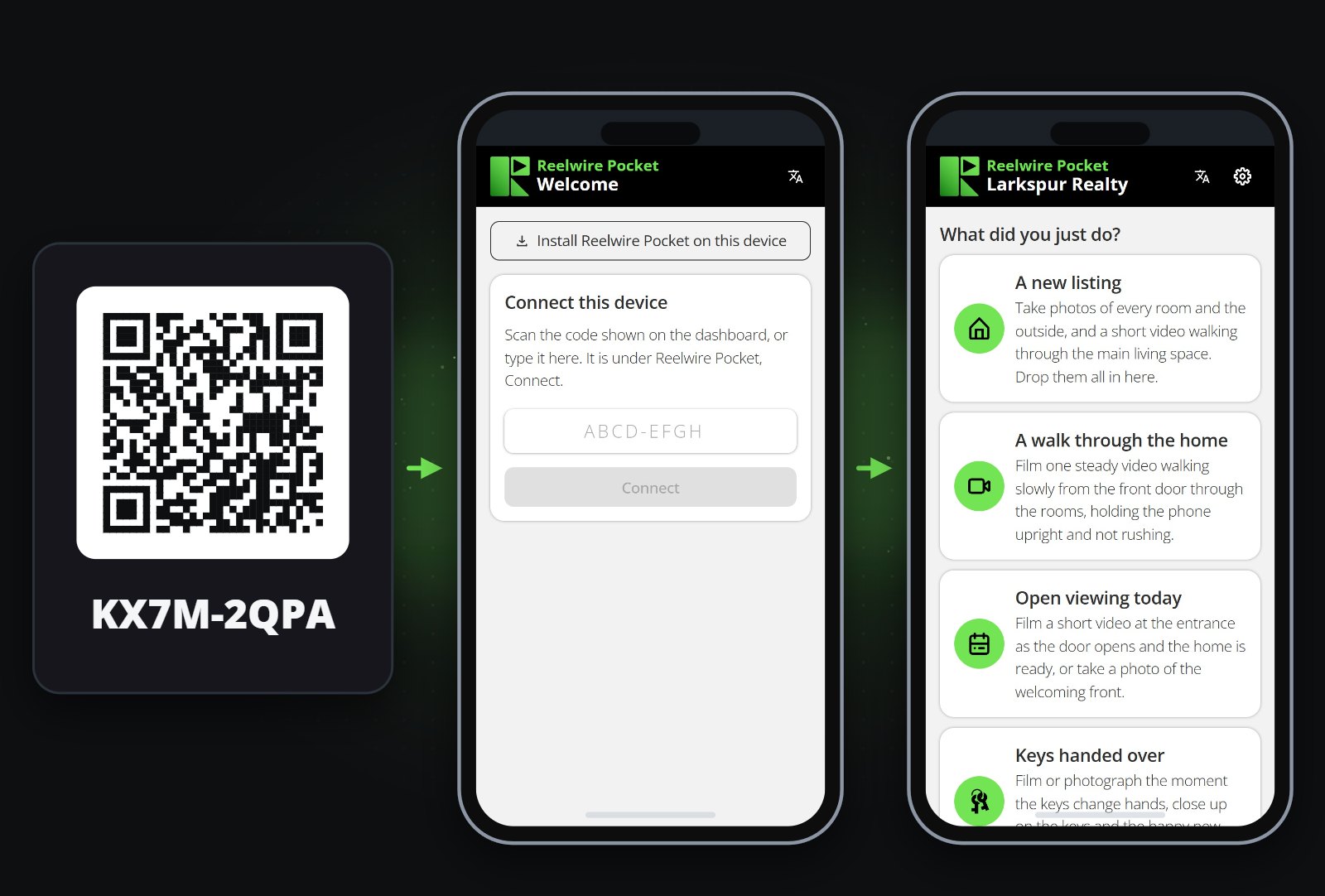
- Point your device's camera at the QR code and open the page it offers.
- Add Reelwire Pocket to your home screen and open it from there:
- iPhone: in Safari, tap Share, then Add to Home Screen. Open Pocket from the home screen and type the code.
- Android: tap Install Reelwire Pocket on this device, at the top of the page.
That is the only setup. Your device stays connected, so you never sign in.
Make a clip
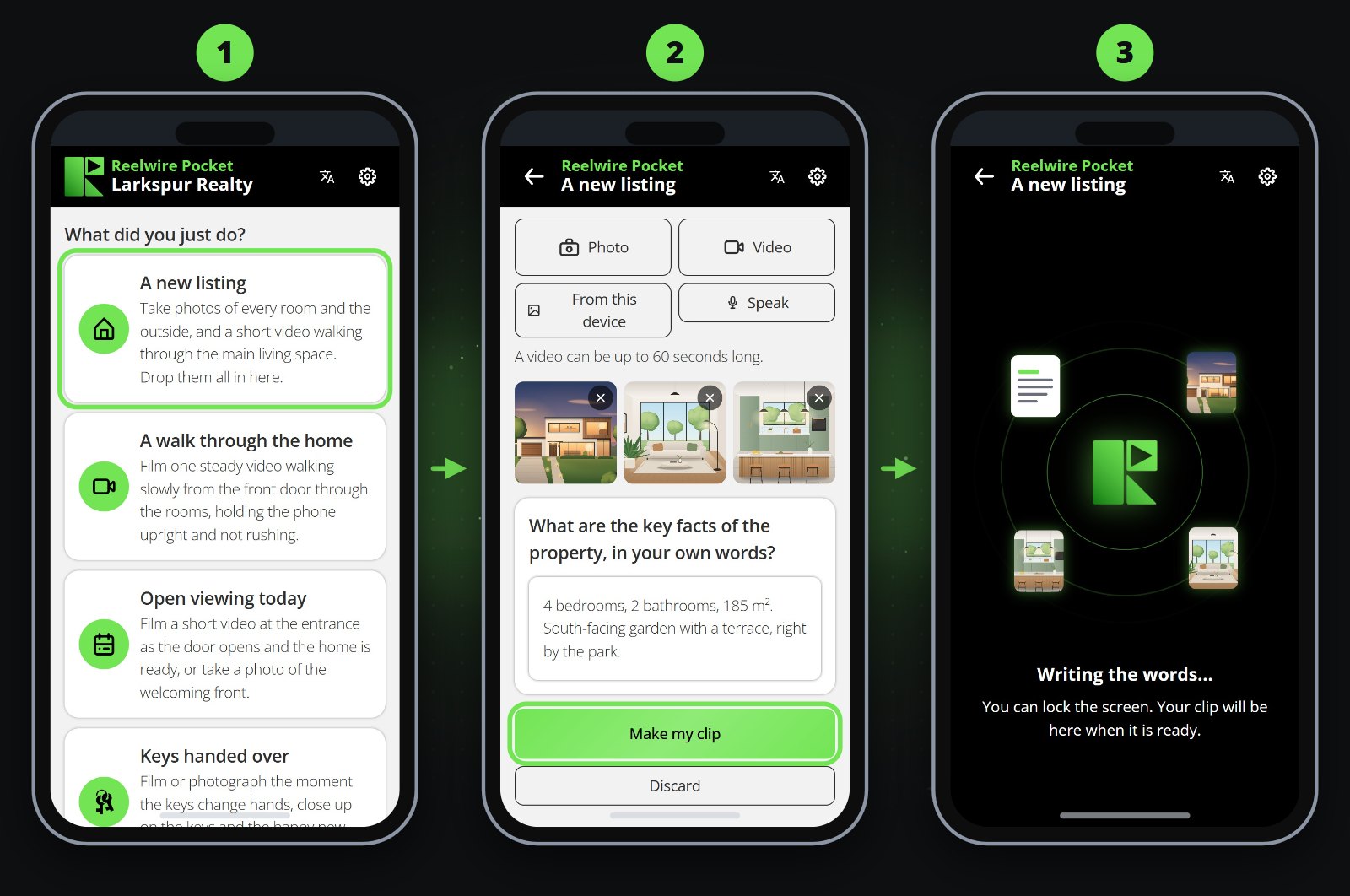
- Press the button for what you just did. Its screen says what to catch.
- Add what you have:
- Photo or Video takes a new one. A video may be up to 60 seconds long.
- From this device takes what you already have.
- Speak records a few words. A few are enough.
- Press Make my clip.
Keep Pocket open until your files have arrived. After that you can lock the screen, and your clip is made either way.
Some buttons carry a note with a shield, saying what every post of that kind must say, such as what the law asks of an offer. Say it in your notes. If a clip cannot be made, Pocket goes back to its screen with what you added still there and says why, so you add what was missing and press Make my clip again.
Look at it, then hand it over
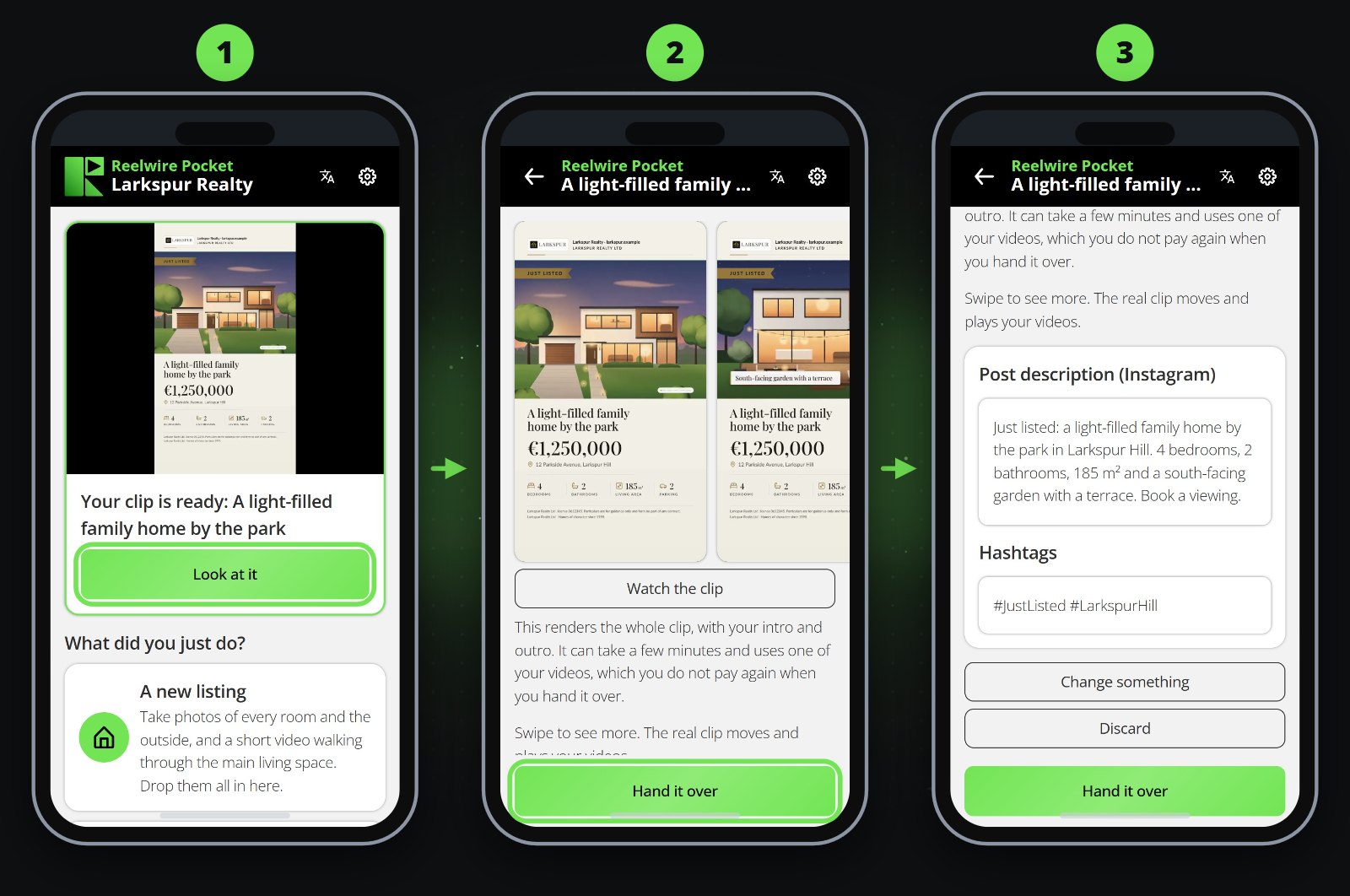
Your clip waits at the top of the home screen. Look at it shows you stills of the clip and the words that go out with it, already written. You can change them right there.
- Hand it over sends it on its way.
- Change something rewrites the words from a sentence you type or say, such as "the street is Lindenstrasse".
- Watch the clip makes the whole video, so that you see exactly what goes out. It counts against your plan.
- Discard throws it away.
Good to know
- Nothing is made or handed over until you press something: there is no schedule.
- Reminders to take photos are optional and off until you turn them on: Settings in the app, then Turn reminders on, and Turn reminders off stops them again, unless your dashboard keeps them on or off for your device. Tapping a reminder opens Pocket on the action it names. With reminders on, your device is also told when a clip you started on it is ready to look at.
- What you say in a video is written down too, as a voice note is. If Pocket gets your language wrong, choose it under Language of your voice notes in the app's Settings.
- One device can hold several pockets, such as one for each business. In the app's Settings, under Pockets on this device, press Scan QR code and point it at another pocket's QR code, or type its code and press Connect. Remove beside a pocket takes it off. With more than one, tap the pocket's name at the top of the home screen to switch.
- A few clips a week are plenty.
- Ask people before you film them.
- Your clips on the home screen shows what you made and where each one got to.
- Pocket speaks English, German and Spanish, and opens in your device's language. Your posts go out in the language set up for them.
- Want other buttons? Ask whoever set up your pocket. They are changed on the dashboard, under Reelwire Pocket, and arrive on your device by themselves.