Channels
A channel is one account, in one format, in one language, wearing one brand. There is nothing above it: a workspace has the accounts its clips are made for, and this screen is that list.
The format is a platform and a shape: it decides the aspect ratio a clip is rendered in, how long its caption may be and how its hashtags are written. Reelwire posts nothing itself. When a post is due it is handed over, by email, by webhook or both, and whoever receives it posts it: see When a post is due below.
An account that posts in two shapes is two channels, because the shape is rendered rather than cropped afterwards. An account that posts in two languages is two channels for the same reason.
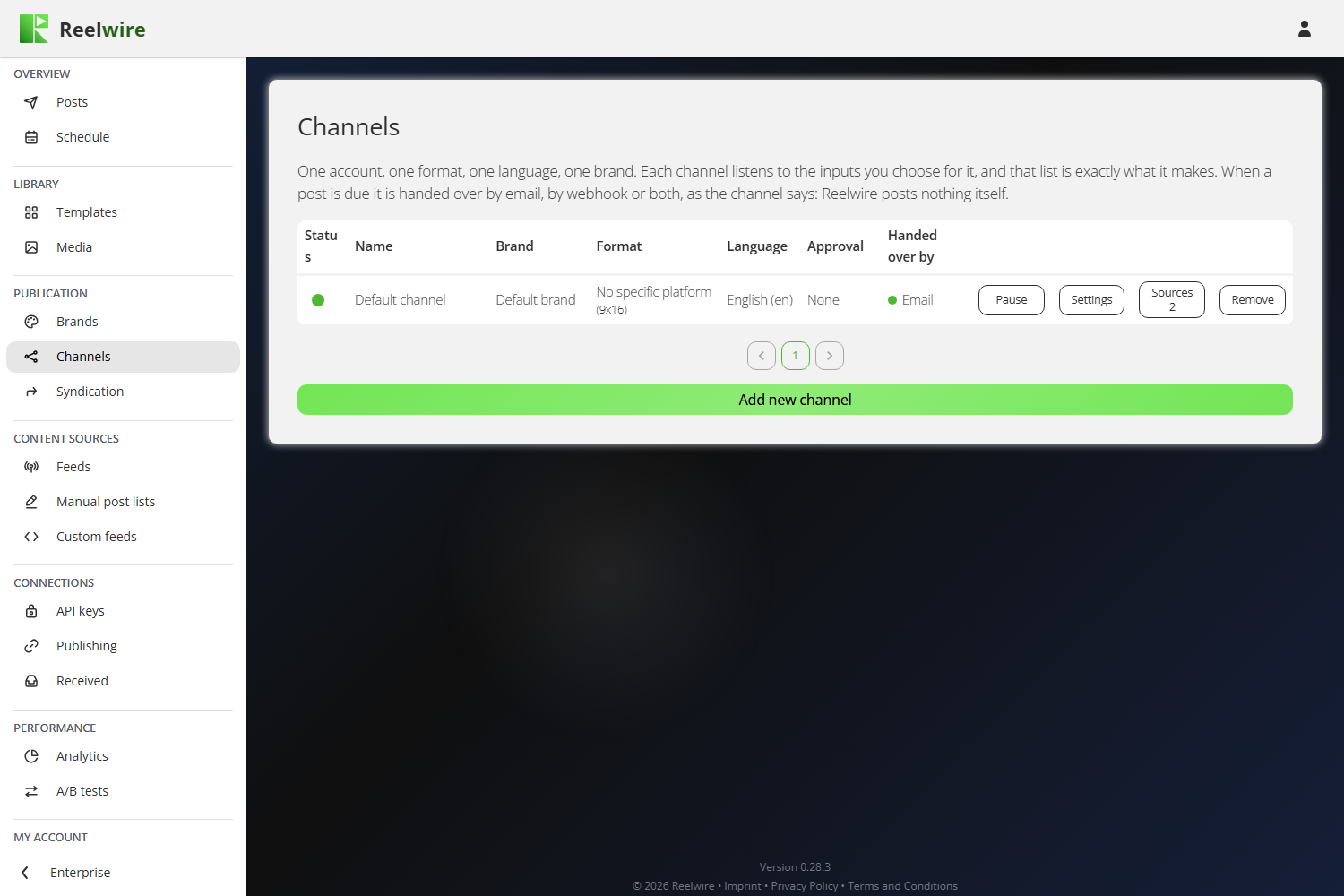
Each row carries Pause, Settings, Sources with how many sources the channel listens to, and Remove.
Making one
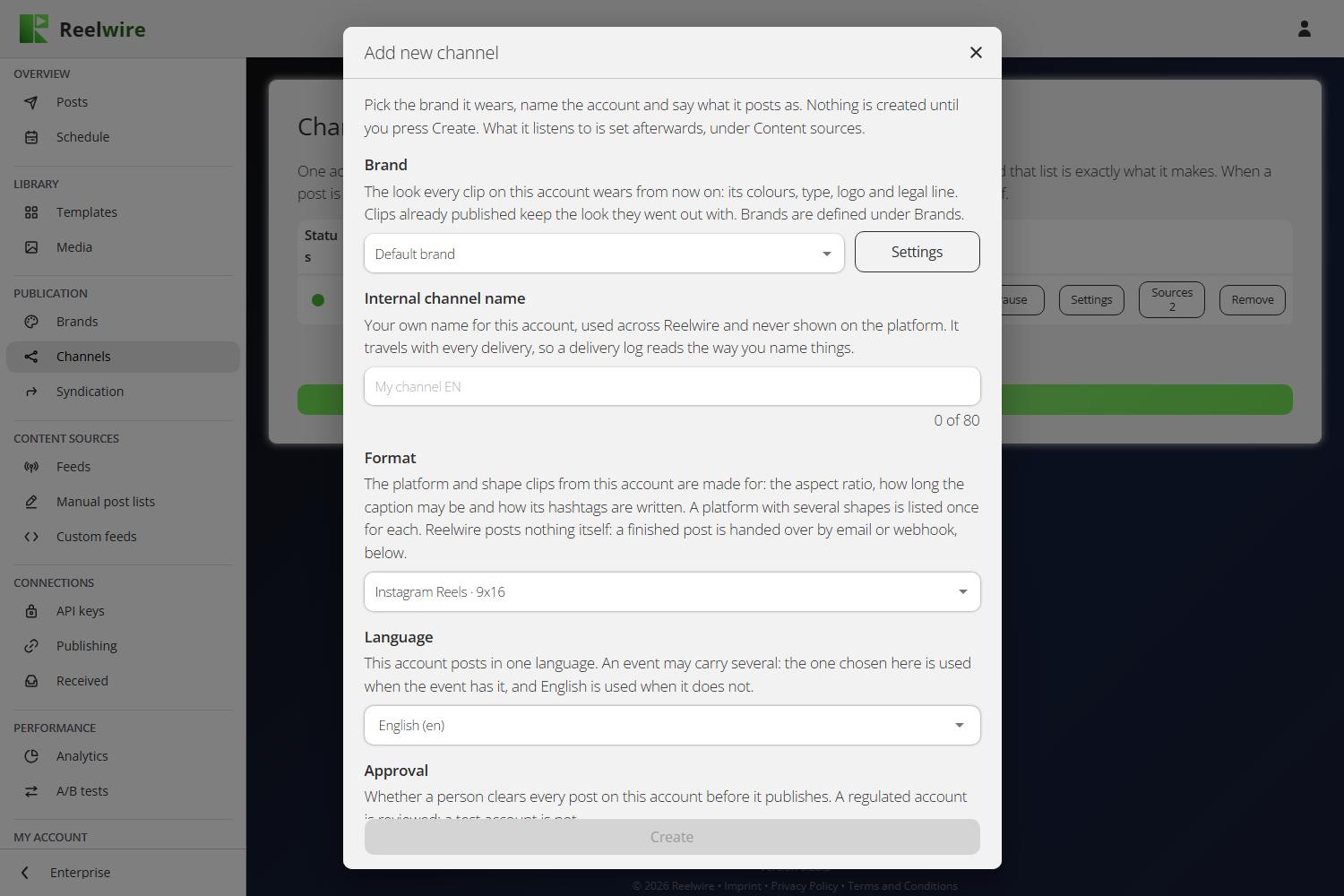
Add new channel asks six things: the brand it wears, your own name for it (Internal channel name), its Format (the platform and aspect ratio as one choice), the language it posts in, whether a person clears every post first (Approval: as soon as it renders, or every post by hand), and how its posts are handed over (Email, Webhook or both, under When a post is due). Nothing is created until you press Create. Settings on the row changes the same six later; clips already handed over keep what they went out as.
The name is yours alone. It is never shown on the platform, and it travels with every delivery, so a delivery log reads the way you name things. The placeholder suggests "My channel EN", with the language on the end, because that is the distinction you will need when there are fifteen of them.
The language decides which copy is used when an event carries several. When an event has nothing in the channel's language, English is used.
Where the platform offers posting options, a Posting section appears under the rest: visibility, and switches such as "Allow comments", "Allow duets and stitches", "Mark as branded content", "Hashtags as first comment" or "Silent post". Only what the chosen platform actually offers is shown.
The thing people get wrong: a channel with no sources renders nothing
Making a channel does not make it post. A channel publishes exactly what it listens to, and it listens to nothing until you press Sources on its row and add something.
This is the one fault on this screen that looks exactly like everything being fine, which is why the row prints the count on the button: "Sources 0" is the answer to "why is nothing happening".
In the Sources dialogue, Add new source offers a Feed from Feeds, one of your Manual post lists, or a Custom API stream from your Custom feeds. For a feed or a stream, two pins follow:
- Variant is which cut of the template this channel wears.
- Version is which build. "Latest" follows new builds, so an update to the template reaches this channel by itself. Pick a number to hold it where it is.
The template itself is not a choice here. It is fixed by the source, so it is shown as a read-only card rather than a disabled dropdown. A post list is the exception: each of its posts picks its own template, variant and version, so the card reads "Chosen per post" and there is nothing to pin.
Each source in the list has its own Pause, Settings (to change the variant or the version later) and Remove, which asks first.
When a post is due: email, webhook or both
Every channel has two switches under When a post is due, and they are the only two ways a finished post leaves Reelwire. The Handed over by column on the list says which are on, in words: Email, Webhook, or Email, Webhook.
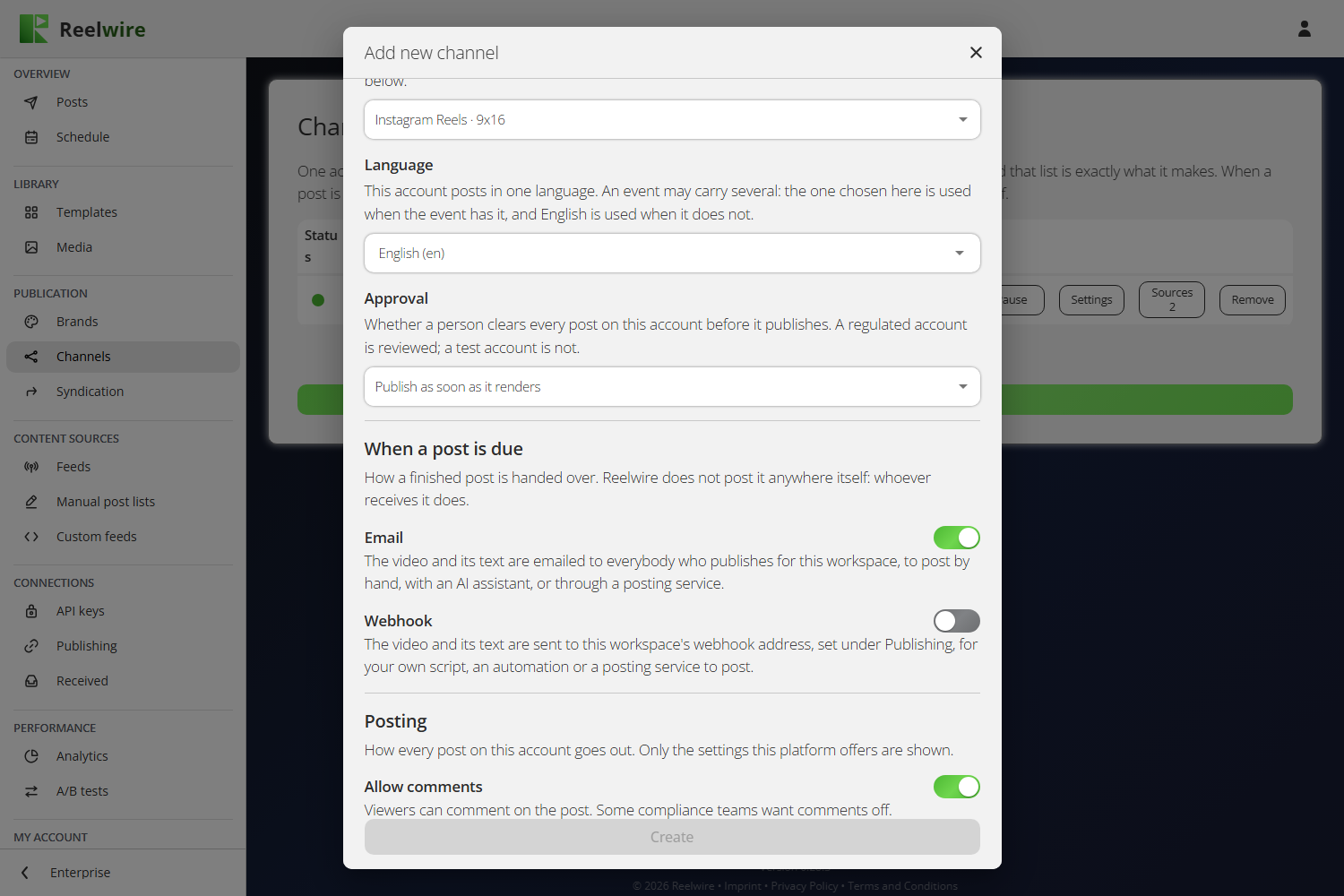
- Email. The workspace owner and everybody holding Operations get an email with a link to the post kit, which has the video to download or share and its text ready to copy. One of you posts it: by hand, with an AI assistant that can use your browser, or through a posting service. Then mark it as published on Posts. Post a video by hand covers the email and each platform's steps.
- Webhook. The video and its text are sent to the workspace's webhook address, set under Webhook, for your own script, an automation or a posting service to post. A channel sending by webhook to a workspace with no address says so in the column.
Both may be on: then the post is emailed and sent to the webhook. At least one must be on, since a post with neither would go nowhere; a new channel starts with Email on.
Under each switch, links open its three guides in a new tab: under Email, Post a video by hand, Let your AI assistant post it and Post through a posting service; under Webhook, Post through the platforms' APIs, Let an AI session post it and Post through a posting service's API. With both switches off, a red box says so, and Save stays off.
A post going to several channels is handed over once per batch, not once per channel. Its channels that need no approval go together, in one email and one webhook call, once every one of them is rendered and due; a channel that asks for approval follows on its own once it is approved. See Posts.
No specific platform is the format for a channel that does not name where its clips go. It takes every shape Reelwire renders, 9x16, 4x5, 1x1 and 16x9, so pick the one that suits where you will post it, and its email hands over the text in three lengths, one for each kind of platform.
Every new workspace starts with one, Default channel: No specific platform in 9x16, handed over by email, wearing Default brand and already listening to Default post list and Default stream, so it has something to render from the first minute.
Pausing and removing
Pause stops a channel rendering and handing posts over, and is undone by pressing Resume. Pausing a single source instead stops only that source on that channel; pausing a feed on Feeds stops it on every channel at once. Pausing the channel's brand stops every channel wearing it.
Remove stops the channel at once: nothing more is rendered or handed over, and posts still waiting to render, for approval or to go out are cancelled. Posts already handed over stay where they were posted and stay in Posts, marked as removed. Because none of that can be undone, the dialogue asks you to type the channel's name.