Plan, allowance and billing
Three screens under Subscription in the menu, Allowance, Plan and Billing, and only the first is open to everybody.
Allowance
How much of each thing is left, and where the ceiling comes from. Every member of the workspace can read it, because "have we run out of renders" is a question about the day's work rather than about money.
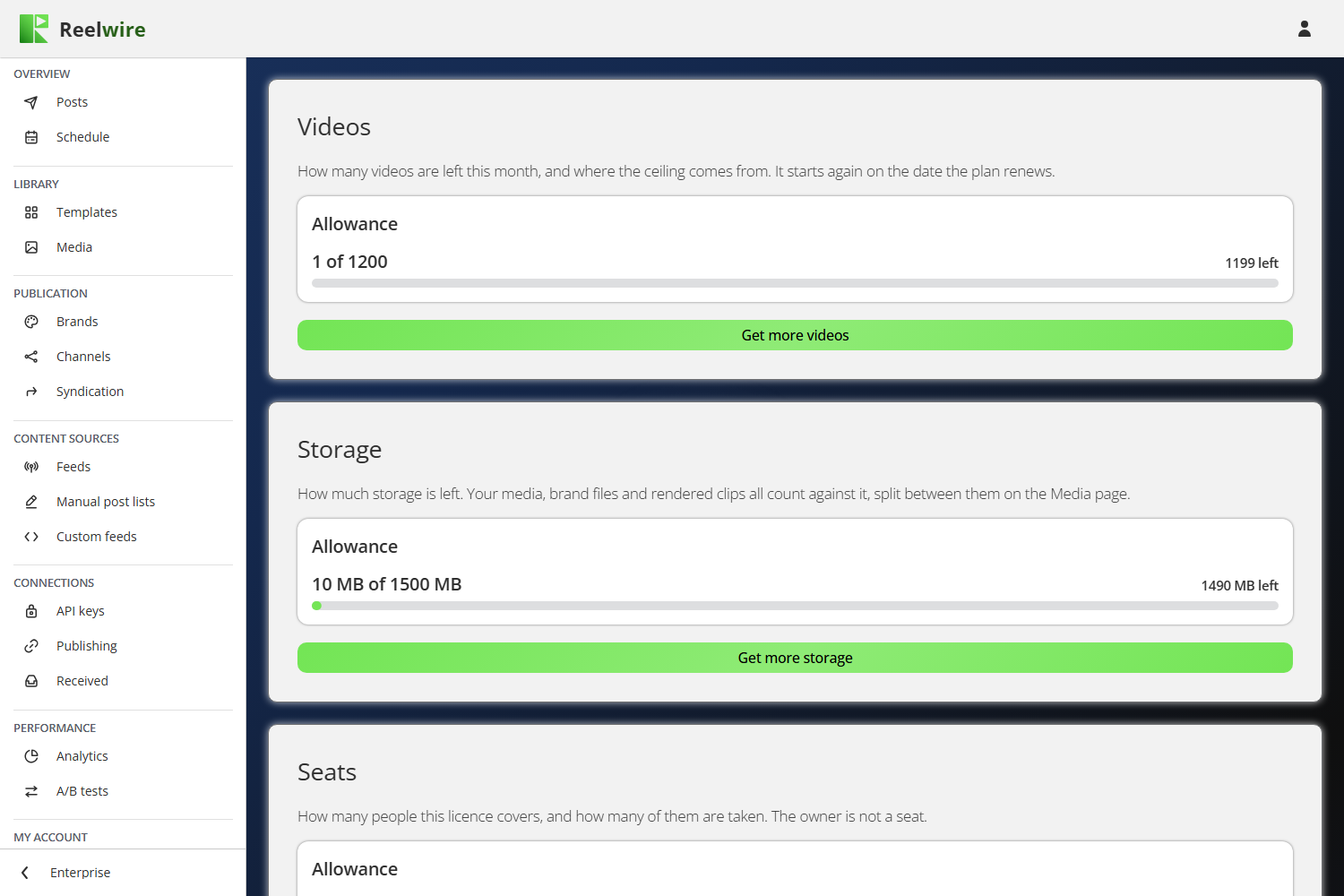
There is one card per allowance your plan actually has: videos, storage, seats and syndication partners, which counts the Syndication subscribers who can receive something (a confirmed address or a webhook that answered its test; a blocked one does not count). An allowance your plan does not include is not drawn, because a meter reading nought of nought is a question about something you do not have.
Each card breaks the ceiling into Included in the plan, what you added (Additional videos, and so on) and anything Added by Reelwire. That matters when the number is not what you expected: the three parts say which of them to change. For the owner, a Get more button under a card, such as Get more videos, goes straight to the matching extra on the Plan screen.
Videos start again on the date your plan renews, not on the first of the month. Storage counts your media, brand files and rendered clips together; the media library shows how it splits between them.
One video is one unit of the allowance. A post going to three channels in three languages is three videos, because it is three files drawn.
A video in the ordinary pipeline is counted when it is queued, not when the file lands, so the allowance cannot be run past by queueing more than it holds. A direct export is counted only once it succeeds, so a cancelled one costs nothing.
The small indicators at the top right of other screens are the same numbers seen where they bite. The ? beside each one lands on the matching card here.
Plan
The owner's screen, and the only one that can take the product away from everybody else.
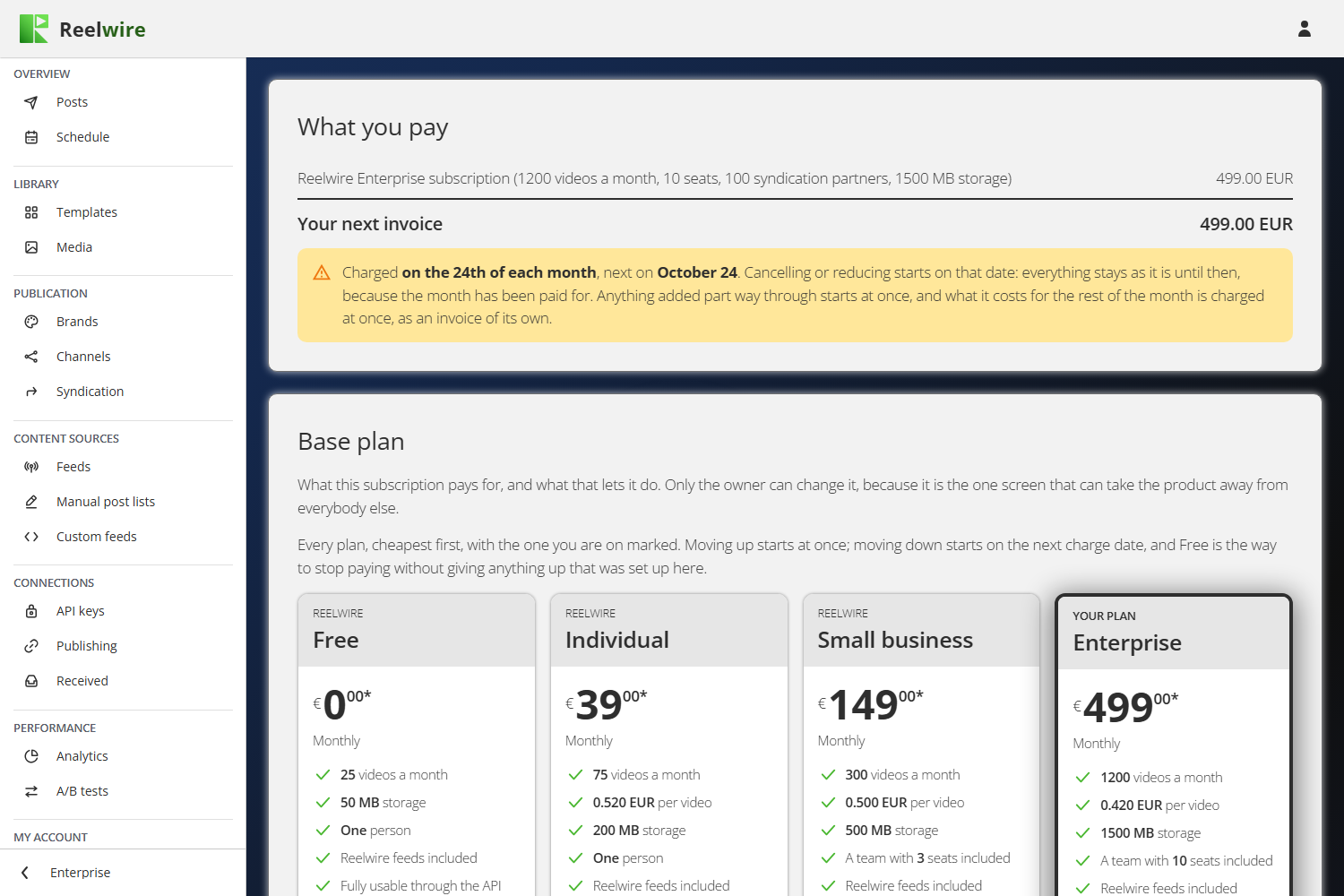
From the top, the screen holds four cards: What you pay, your next invoice line by line and when it falls; Base plan, the four tiers; Additional allowance, what can be bought on top; and Billing term.
There are four tiers, and your plan is invoiced once per billing cycle. The tier you are on reads Your plan. Moving up takes effect at once and is paid for at once: the difference for the rest of the cycle is charged to the card on file there and then, as an invoice of its own, and if the card is declined nothing changes. The Upgrade dialogue lists what you get from today and what is charged now.
Moving down starts on the next charge date, because the period you are on has been paid for, and nothing is refunded or credited for it. The Downgrade dialogue lists what you lose from that date, and Schedule this change books it.
From Free, the button on a paid tier is Subscribe. It opens the payment in a window of its own, and the Plan screen changes by itself the moment the payment goes through. Closing that window does not cancel anything, and nothing is charged until the payment is made.
A change waiting for its date can be called off. The tier it goes to reads Your next plan, with the date it starts, and What you pay shows what is changing and when. Keep everything as it is there calls off everything waiting; Keep this plan, on the tier you are on, calls off only the change of tier.
If your bank asks you to confirm a payment (3D Secure, common with European cards), the Plan screen opens Stripe's page for that invoice in a new window, where your bank's check runs. The change is made the moment you confirm it. Until then nothing changes, a panel at the top of the Plan screen offers Confirm the payment and Cancel this change, and a payment left unconfirmed for 23 hours is cancelled without charging anything. While one waits, no other change to the plan can be made.
Your price stays yours. If the price of a tier changes, you keep paying the price you moved to it at, for as long as you stay on that tier. The new price applies when you change tier.
| Tier | What it adds |
|---|---|
| Free | Reelwire's own feeds and post lists. One person. Every clip carries a Reelwire mark. |
| Individual | No watermark, and more of the render allowance. |
| Small business | A team. |
| Enterprise | Syndication, priority rendering, Analytics and A/B tests. |
The API and the MCP server are on every tier, Free included. What a tier sells is render allowance, storage, seats and the screens above, never whether the product can be driven from your own code. A key on Free carries the same permissions as a key on Enterprise and reaches the same endpoints, and an assistant on the MCP server is that key with better manners.
There is no Cancel button, and that is not an oversight. Free grants exactly what a cancelled workspace granted, so the product had two names for one place. Moving to Free is how you stop paying, and it gives up nothing that was set up here: channels, brands, sources and media stay where they are.
Before a downgrade lands, the dialogue lists what you lose and names only the things you actually hold. Nothing is deleted by a downgrade. Over the storage ceiling, uploads are refused until you are under it again; over the seats, nobody is signed out. Moving to a tier without a team, Individual or Free, means your colleagues can no longer use the workspace from that date: nobody is deleted and nothing they set up changes, and moving back up lets them in again.
Below the tiers is what can be bought on top of a paid tier: Additional videos and storage, seats from Small business, and syndication partners on Enterprise. Free has nothing to buy. Videos are sold as a block you move between sizes, because giving back half a block is not something anybody can ask for; past the largest block, Higher volume asks you to get in touch for an agreement of your own. The others are quantities that add up. Extras follow the same rule as tiers: adding one applies at once and the rest of the cycle is charged at once, and giving one back takes effect on the next charge date.
Moving to Free ends the subscription on the next charge date, with nothing more to pay.
Card, billing address, VAT number and past invoices can be managed on Stripe's own page from the Billing screen. Plan changes are only made here, so they always follow the rules above.
Deleting your account also removes you as a customer at Stripe, together with any saved card. Invoices already issued are kept, because they are accounting records.
At the foot, Billing term switches between monthly and yearly. A year costs ten months, so two are free. Going yearly starts a new yearly cycle today and is invoiced today, less what was left of the month you had paid for; going back to monthly takes effect when the year ends, because the discount is what paid for the commitment. It is the charge that becomes yearly, not the allowance: videos still arrive a month at a time. While another change is waiting for its date, going yearly waits until that change has landed or been called off. On Free, nothing is charged either way, and the switch only changes whether the tiers are shown by the month or by the year.
A trial workspace has neither of these two screens. Nobody bought it and nobody is charged for it, so there is no subscription for them to change.
Billing
The owner's screen as well: the payment method, the address your invoices are made out to, and every invoice so far.
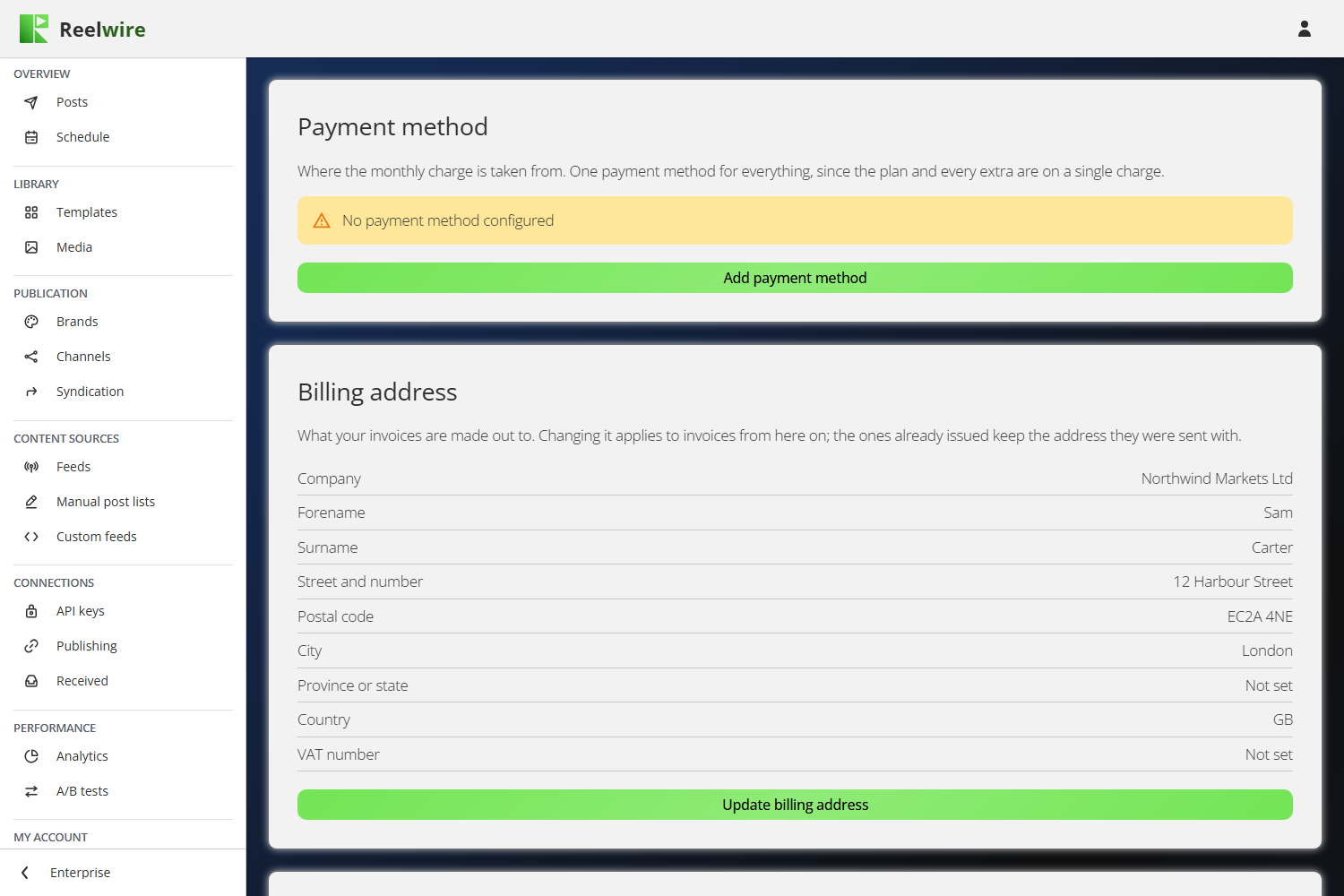
Three cards: Payment method, Billing address and Invoices. The card and the billing address are the ones you gave Stripe when you paid, brought back here so the screen can show them. Change payment method (or Add payment method, where there is none) and Update billing address open Stripe's own page in a new window, and this screen reads the change when you come back to it. Changing the address applies to invoices from here on; ones already issued keep the address they were sent with, because a document that changes after the fact is not a record of anything.
The invoices are Stripe's. Reelwire does not raise documents of its own: Stripe numbers them, addresses them, itemises the tax and hosts both a web page and a PDF. Invoice on a row opens Stripe's copy, which is the same document your accountant would get from us and goes on working years later. Receipt, beside it once the card has been charged, opens the proof of payment.
Prices are before tax. The figure on the plan cards is what Reelwire is paid; VAT is added on top at the rate of the country on your invoice address, and the checkout shows the total before anything is charged.
A business pays the figure on the card. Give a valid VAT number at the checkout and the reverse charge applies: no tax is added, and you account for it yourself. That is the reason prices are quoted this way rather than tax included, where a business would pay the same total as a consumer with nothing to reclaim.
Invoices are searched with one box rather than four filters, and it matches what is printed: the formatted date and the formatted amount as you see them, the invoice number and the description. They can be sorted by date, invoice number, description or amount, newest first to begin with.
A workspace billed in Mexico sees a note above the invoices on how to ask for a CFDI, and by when.