Your profile
Your own account: your name, your workspace's industries, the emails you get, your password, and the end of it. Profile, under My account in the menu, is the one screen everybody has, on every plan, with no permission needed. A permission is granted by somebody, and there is nobody to grant a person their own name.
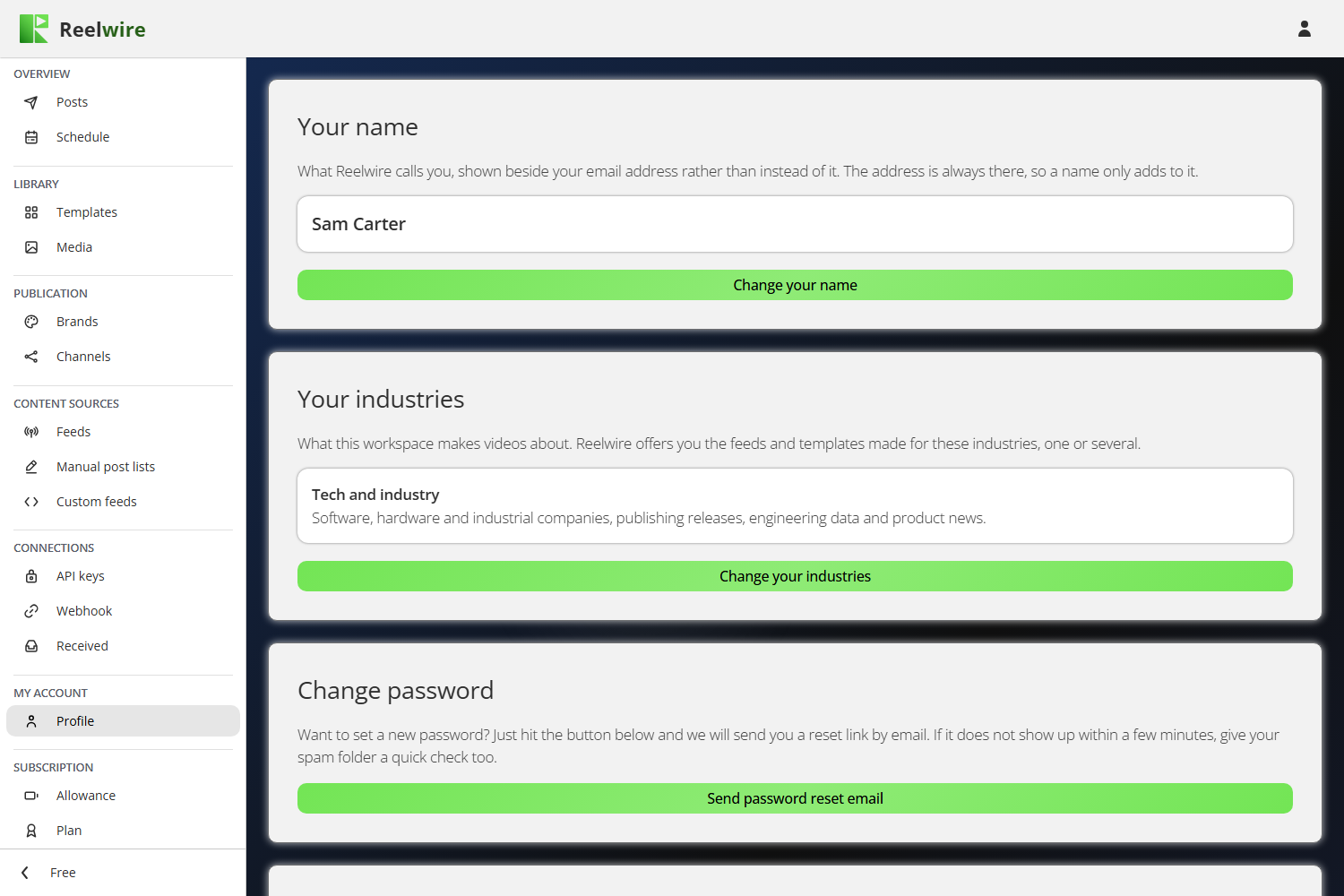
Your name
A name is shown beside your email address, never instead of it. The address is always there, so a name only adds to it, and leaving it empty is a real answer rather than a gap.
Set your name (or Change your name, once there is one) is all it takes. If whoever added you to the team typed a name for you, this is where you change it, and yours wins.
Your industries
What your workspace makes videos about: Finance, Tech and industry, Public bodies, Supermarkets and shops, one or several. It decides which feeds and templates Reelwire offers you, on the Reelwire feeds and Templates screens.
The owner of a new workspace is asked this the first time they open the dashboard, on a page of its own before anything else, and switches on at least one: one switch per industry, with what it covers under its name. Change your industries on this card opens the same switches, to change the answer at any time. Taking an industry away changes what you are offered from then on: a feed a channel already listens to, and a template already in use, stay where they are.
It is one answer for the whole workspace, so only the owner can change it. Everybody else in the team sees it here, with the note that only the owner can change it.
Email preferences
What Reelwire emails you, in two groups. The first always arrives: your account, and whatever your permissions let you act on, such as a post handed over to you or posts waiting for your approval. Plans and invoices are in it only for the owner. The second is optional, and Change your email preferences switches it off or on again: for the owner, tips, the monthly summary and offers; for a colleague, the first-video and colleague-not-joined notes their permissions bring. Somebody whose permissions bring no optional email is told so, and has nothing to switch. Which email goes to whom is on Team.
Changing your password
There is no old-password field and no new-password field. Send password reset email sends a link to your address, and you set the password from there. The link works once, for 60 minutes.
That is deliberate: being signed in already proves the old password, and the emailed link is the safety property. A session left open on an unattended machine cannot be turned into a changed password without also reaching your mailbox.
Setting the new password signs you out in every browser, and an email tells you the password was changed, so a change you did not make does not go unnoticed.
A trial account that signs in with a login Reelwire generated, rather than an email address, has nowhere to send the link; the card says so, and a new password comes from Reelwire.
Deleting your profile
Only the owner of a workspace has the Delete user profile card. A team member's profile belongs to the workspace that added them, so it has no delete card: whoever manages the team removes it on Team.
It asks for your email address and password again, and for two separate agreements, because a session is not proof of anything worth this. Initiate user profile deletion then does it.
Deleting the owner's profile deletes the workspace. Every channel, brand, content source, credential, rendered clip and published post goes, and so does every colleague's account. Clips already posted to a platform stay where they are. You are signed out at once.
A running paid plan blocks it. The form is replaced by the reason rather than sitting above a button that was never going to accept it. Move the workspace to Free on Plan first. The paid plan runs to the end of the period you have paid for, and the profile can be deleted once it stops on the charge date. A change already asked for still counts as running, because until the date arrives the workspace still holds its allowance and the change can still be called off.
Deleting also removes you as a customer at Stripe, together with any saved card. Invoices already issued are kept, because they are accounting records.
Reelwire's own staff have no delete card: they are removed by Reelwire. A trial account sees the card with the reason on it and the button greyed, because somebody on a trial may reasonably come looking for the way out: a trial belongs to Reelwire, and is removed by Reelwire.