Schedule
Posts says where work has got to. This is the same question turned forward: when the sources your channels listen to are expected to post. It sits under Overview, one row below Posts.
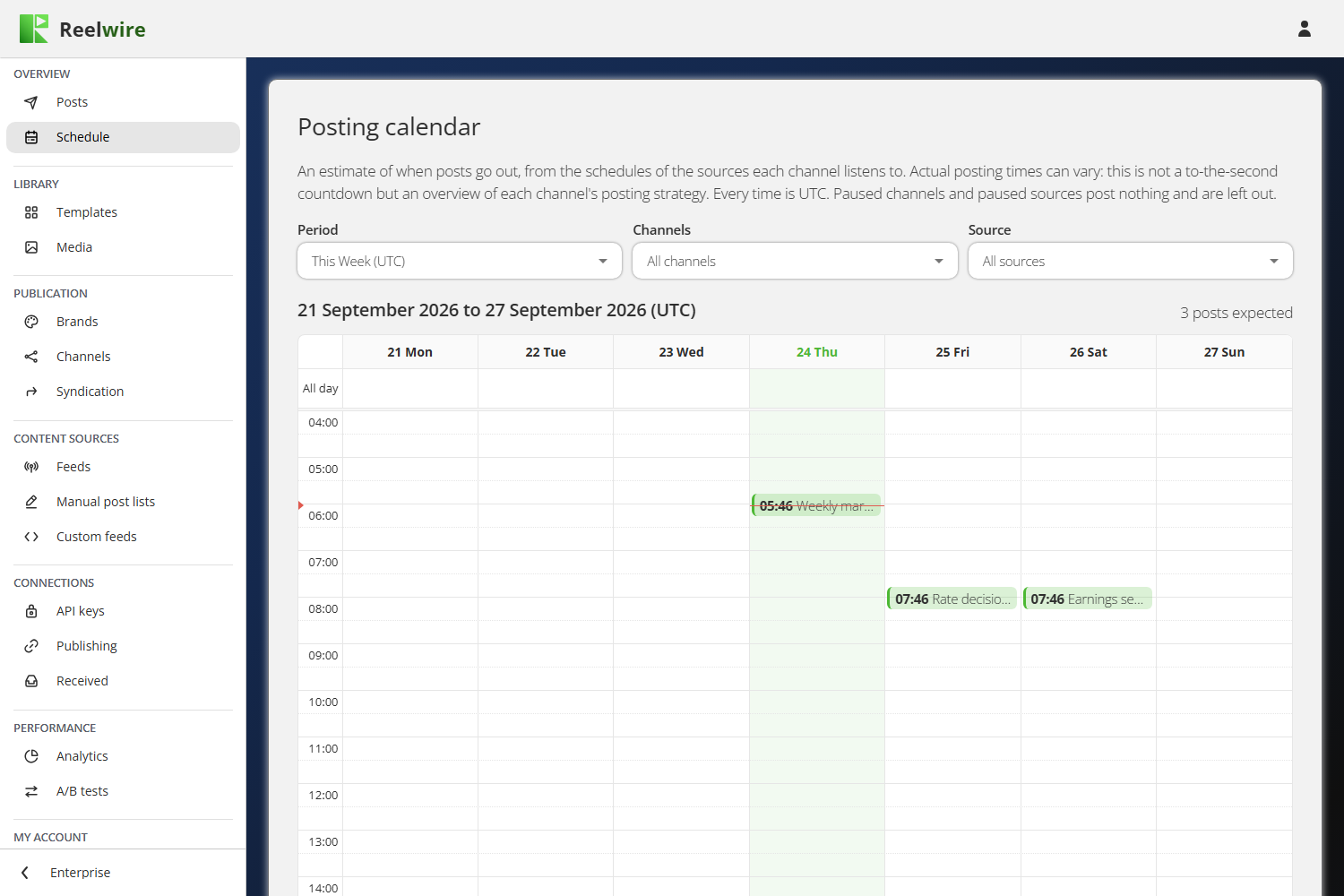
It is an estimate, and it is in UTC
The Posting calendar is built from the schedules of the sources each channel listens to, not from posts that exist. Actual posting times vary. Read it as each channel's posting strategy rather than as a countdown. Above the calendar, a line counts how many posts are expected in the period shown.
Every time on this screen is UTC, including the day and week headings. A block at 07:00 is 07:00 UTC, whatever your own clock says. Post lists use UTC too, so the two screens agree.
Paused channels and paused sources post nothing and are left out entirely. If a channel is missing from the calendar, check whether it or its source is paused before looking for anything else.
The filters
Period shows today, this week or this month, each in UTC.
Channels picks one channel, several, or All channels. All channels is a row of its own rather than every box ticked, so a channel you add tomorrow is included without anybody going back to tick it. Each channel has its own colour, and a paused one is marked as paused in the list.
Source offers All sources, Feeds or Manual post lists. A custom feed posts whenever your system sends and never lands on a date, so it is not something a calendar can draw.
Hovering a block gives the whole story: the channel and its brand, platform, language and approval setting, the source, and the rule behind the time.
What has no precise time
The card below the calendar, Without a precise schedule, lists sources that post but not at a time a calendar can place: a feed described rather than timed, and streams your own systems post to. They are listed rather than guessed onto a date, because a mark on a date nobody chose would read as a promise.
A post list is never in that card. Each of its posts has an exact time, so they are on the calendar above.